SmartROS
Redesigning a safety-critical HMI for oil rig automation, validated through field research and on-site usability testing with real drillers.
Impact
Overview
At BORN Group, I led the redesign of the RZR interface on the SmartROS operating system for Nabors Industries, a system used by drillers operating automated oil rigs in high-stakes, all-weather conditions. This was not a typical enterprise software engagement. The interface directly impacted driller safety and operational efficiency in a physically demanding, cognitively intense environment.
The engagement began with on-site field research in Midland, TX, where the team spent time observing drillers in the doghouse across a 24-hour operational cycle. That research shaped a redesign strategy centered on cognitive load reduction: consolidating three screens into two, eliminating redundant workflows, and grouping related controls by function and priority.
The work was validated through structured usability testing with six active drillers using a dual-monitor clickable prototype that simulated the actual doghouse environment. The redesign shipped in May 2024.
Problem
Drillers operated across three separate HMI screens with fragmented workflows, redundant screens, and layouts that failed to take advantage of available space. With the introduction of RZR automation, drillers took on additional monitoring responsibilities, further increasing cognitive load in an environment where attention lapses have real consequences. The interface was not keeping up with the demands being placed on the people using it.
Solution
A consolidated HMI that reduced three screens to two, eliminated redundant workflows, and grouped related tasks into dedicated screens designed around the cognitive demands of the drilling environment. Every design decision was validated through on-site usability testing with real drillers before deployment.
Create a Human-Machine Interface Built for Drillers
Design a dedicated HMI that enables drillers to monitor automated tasks in real time while retaining the ability to switch to manual control at any point, ensuring operational flexibility and safety across every workflow state.
Build on Existing Interface Designs
Extend and refine existing interface designs so the HMI integrates with the SmartROS operating system while maintaining visual coherence, interaction consistency, and platform-specific conventions throughout.
Validate Interface Efficacy Through Usability Testing
Conduct structured usability testing sessions with active drillers to evaluate how effectively the new interface supports their tasks, surface friction points, and inform iterative improvements before full deployment.
The team traveled to Midland, TX to go on-site with the Nabors team and their drillers, observing how operators accomplish their day-to-day tasks across a 24-hour cycle. Working in harsh environmental conditions, significant equipment noise, all-weather exposure, and physically demanding spaces gave us direct, unmediated insight into the cognitive and attentional demands placed on drillers.
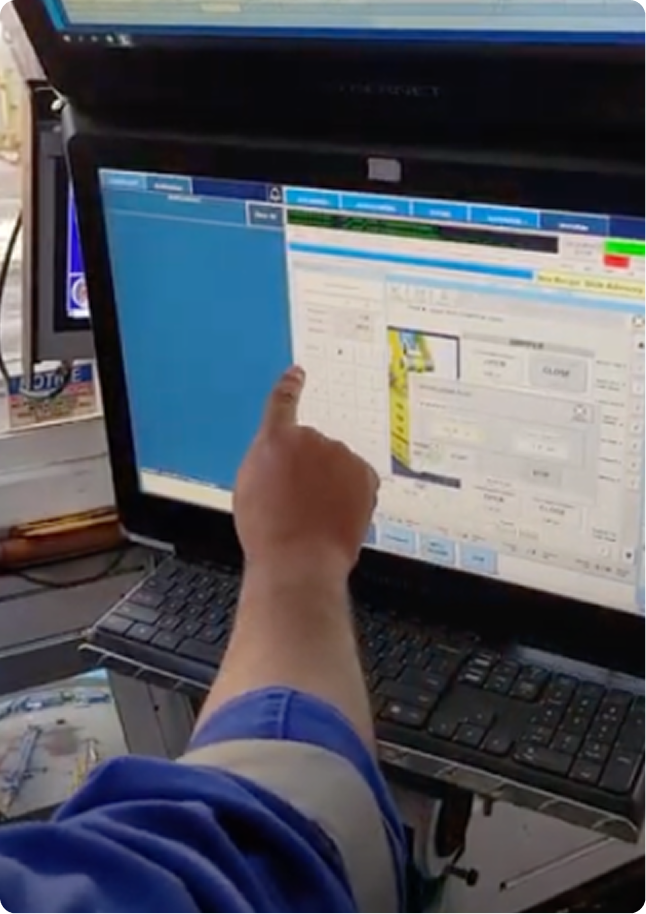
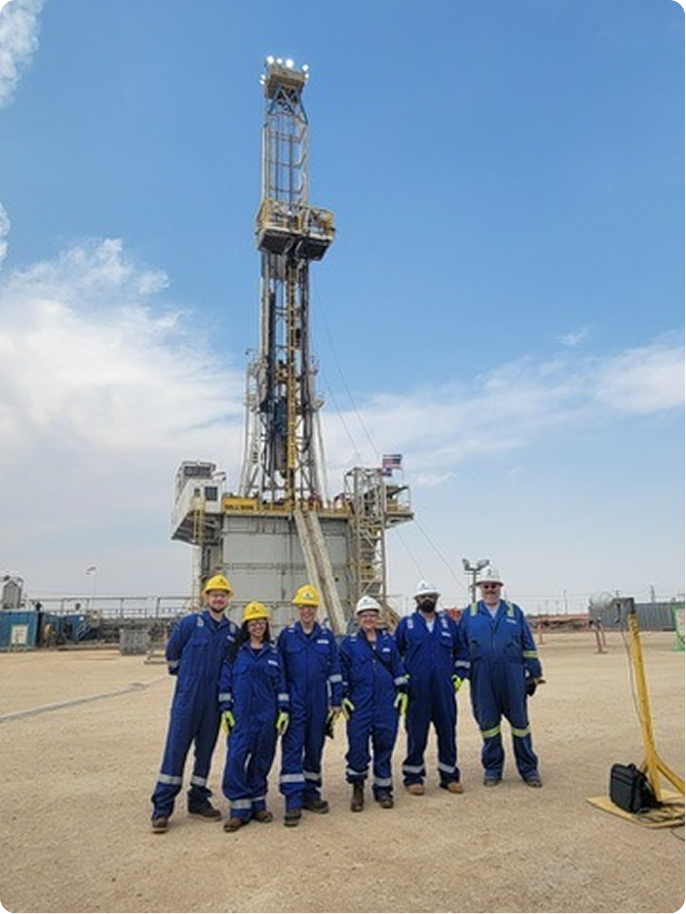
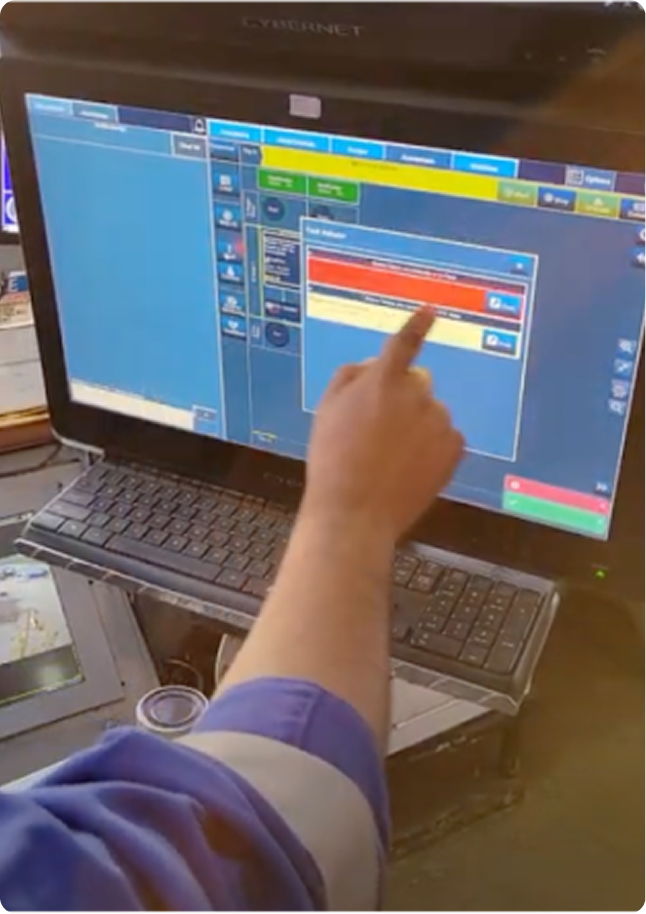
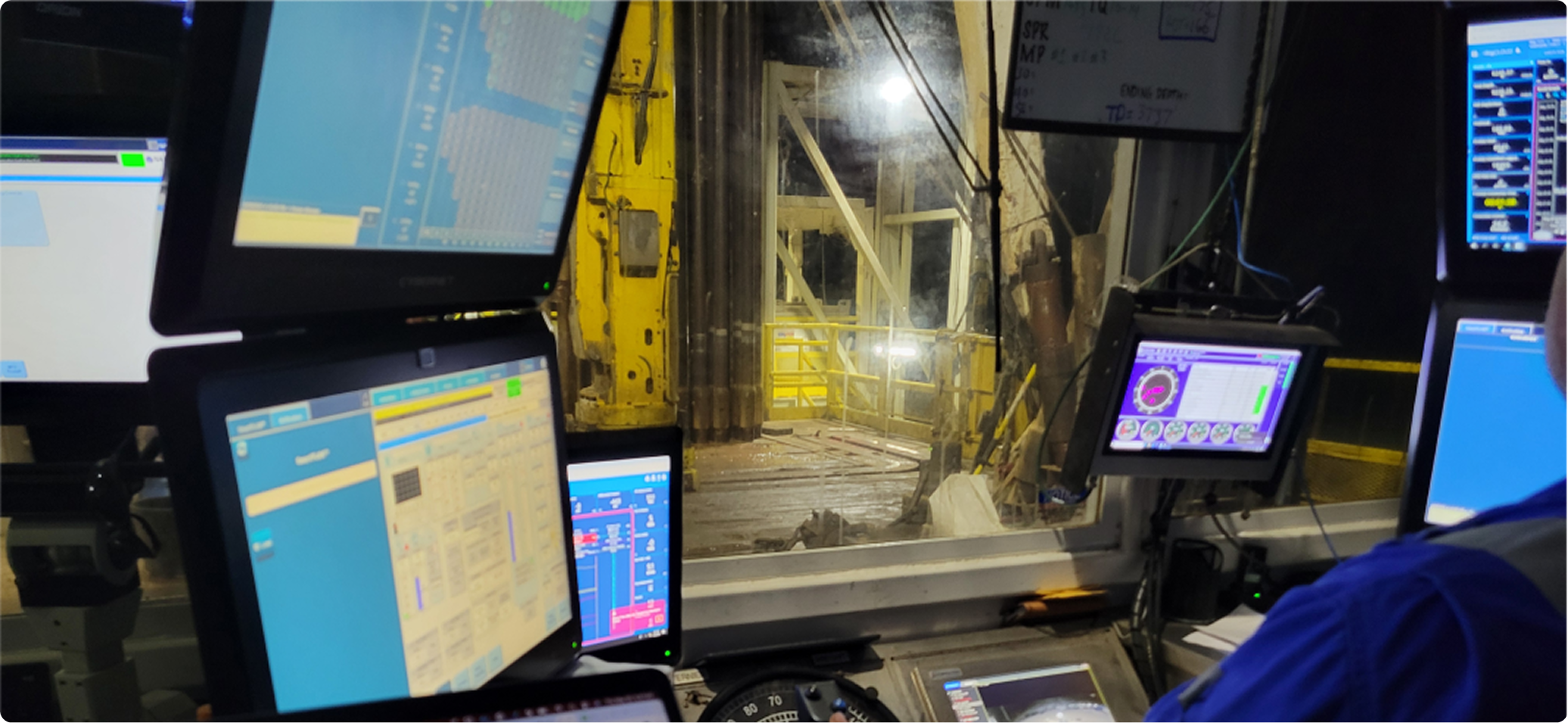
After returning, we compiled a prioritized set of insights and recommendations to align stakeholders on scope and establish a clear design direction.
With the introduction of RZR automation, drillers took on expanded responsibilities previously handled by floor hands. Adding a third HMI screen to monitor compounded the cognitive load rather than relieving it.
Recommendations
- Consolidate related tasks across screens
- Broadcast alerts across all screens to surface critical conditions regardless of which screen the driller is watching
- Continue using sound with varied tones by alert type
Automation increases monitoring responsibilities while reducing physical action. Keeping drillers actively engaged and in the loop is critical, especially on long shifts.
Recommendations
- Maintain task flows that require active confirmation of key activities
- Identify opportunities for drillers to apply their judgment in fault detection before problems escalate
Finding specific controls required parsing through multiple screens and navigating across pages, extending the operational path for common tasks.
Recommendations
- Consolidate related controls into single screens without requiring cross-page navigation
Many screens failed to use available space effectively, either leaving large areas empty or failing to organize controls by priority and function.
Recommendations
- Use full screen width
- Re-organize by function and priority
- Apply the SmartROS operating system patterns consistently across all RZR screens
Evolving the Platform
Several screens, states, and sections required heavy redesign or net-new creation for the RZR automation platform:
- Dedicated RZR Screen (net new)
- Tubular Management System redesign (TMS)
- Zone Management System redesign (ZMS)
- Notifications and Alerts
- Catwalk (Integrated and Standalone)
- Wrench (Integrated and Standalone)
- iRacker Trip Screen redesign
The primary goals, grounded in field research, were to reduce redundant and duplicative elements across equipment screens and leverage the existing component library. Both light and dark mode themes were designed to be fully functional and accessible across all states.
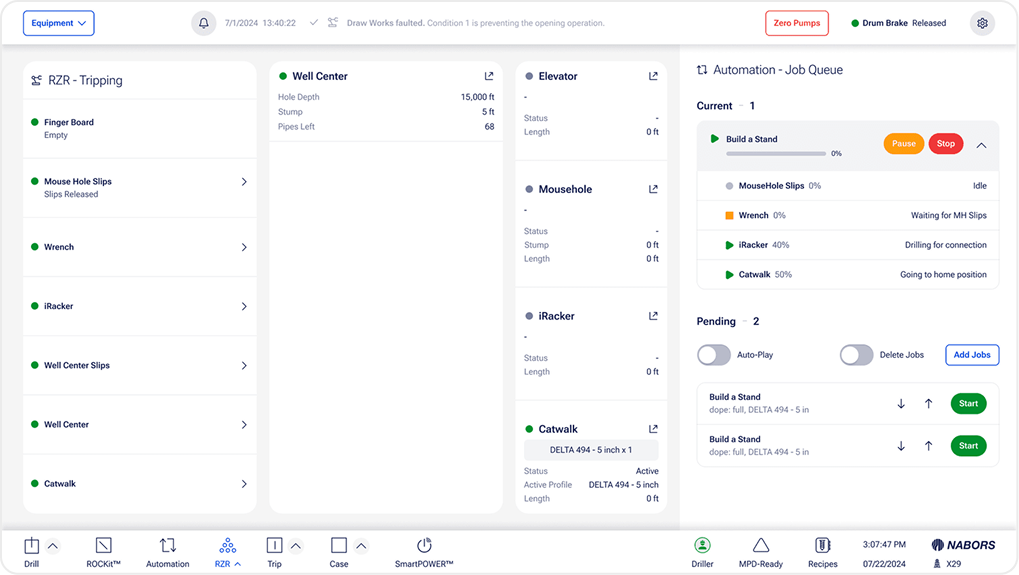
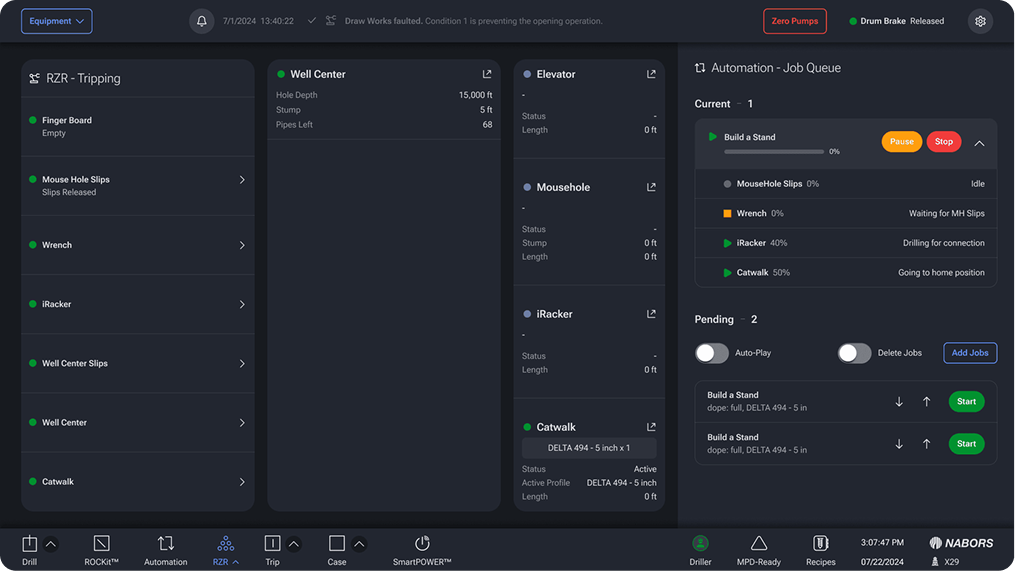
(Light and Dark Mode)
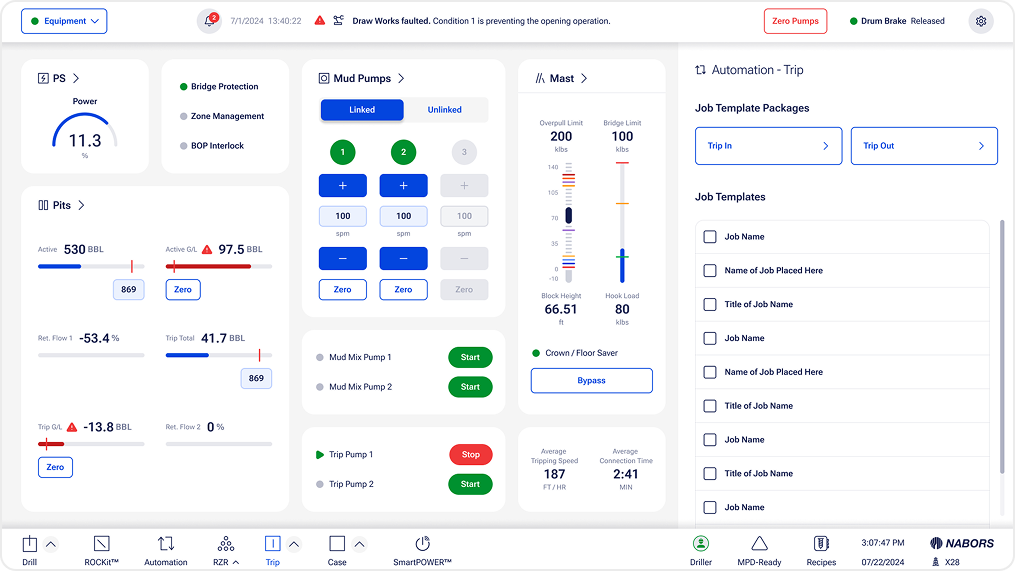
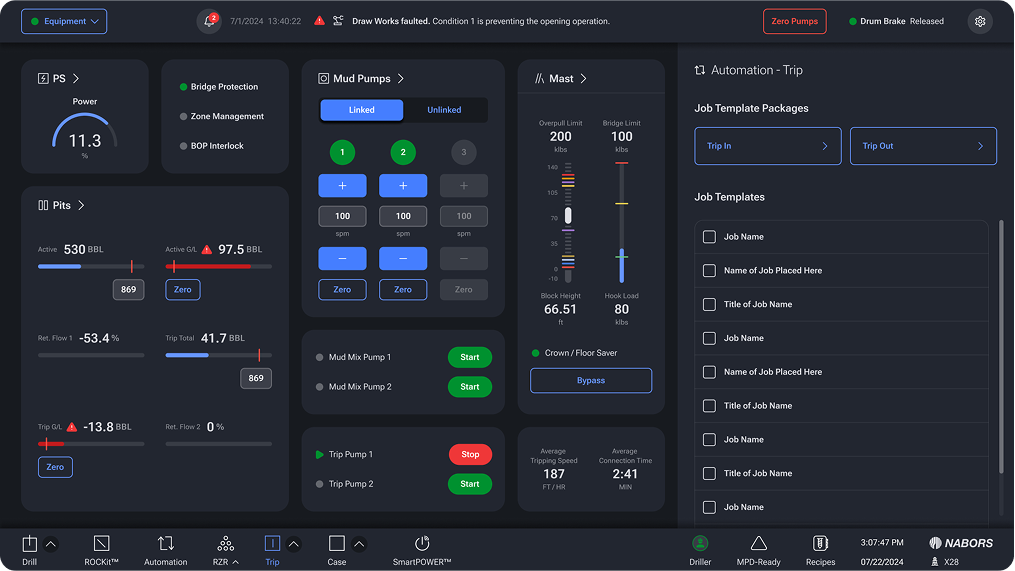
Large tasks including Building a Stand, Laying Down Pipe, Tripping In, and Tripping Out were grouped into new dedicated screens under the RZR nav. An automation panel was designed for complex job configurations, giving drillers a single place to track current jobs, queue additional jobs, and stop all jobs. Job template selection was designed to feel familiar, modeled on the mental model of selecting a track in a media player.
When an automated task faults, drillers are presented with a structured set of recovery options to work through sequentially. If all options fail due to equipment or environmental factors, manual mode is available, giving drillers direct physical control. This recovery flow was one of the most critical design problems on the project: clear, calm, and actionable under pressure.
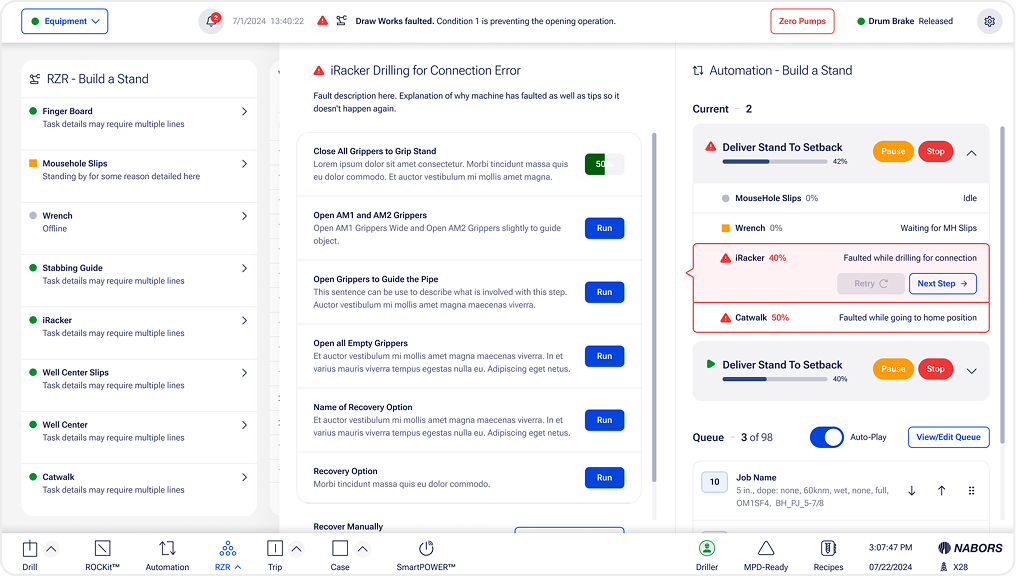
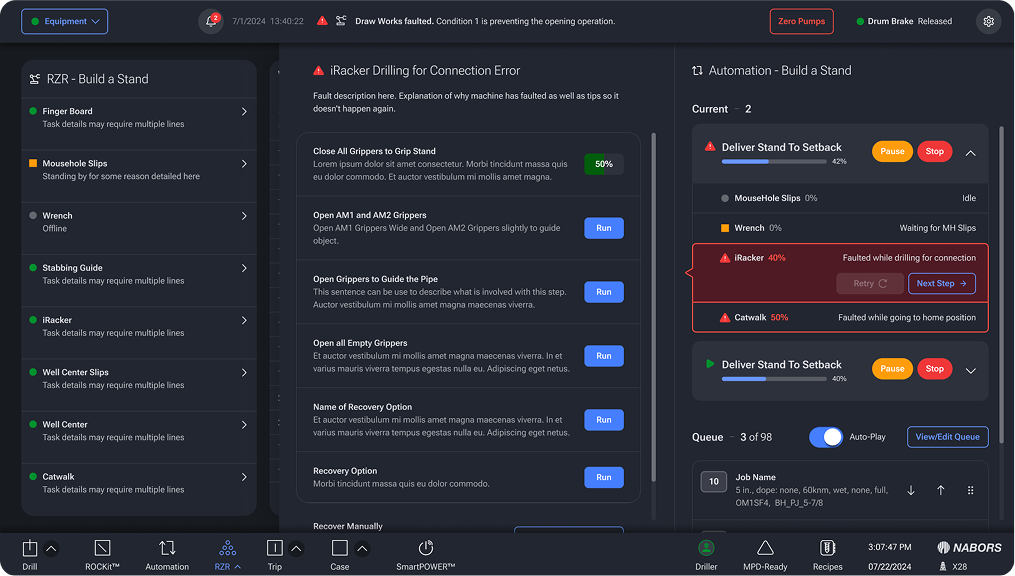
(Light + Dark Mode)
We brought the automation panel into SmartROS (the operating system) which had the same framework as selecting jobs like Build a Stand or Laydown Pipe. Drillers were able to choose their automation tasks that add to their expansive job queue and monitor the automation as it was being performed.
The TMS is critical for tripping in and out. I redesigned the digital fingerboard representation, shifting it from vertical to horizontal orientation and introducing a more efficient method for grouping full rows of pipe. Directional indicators for pipe movement were updated for clarity.
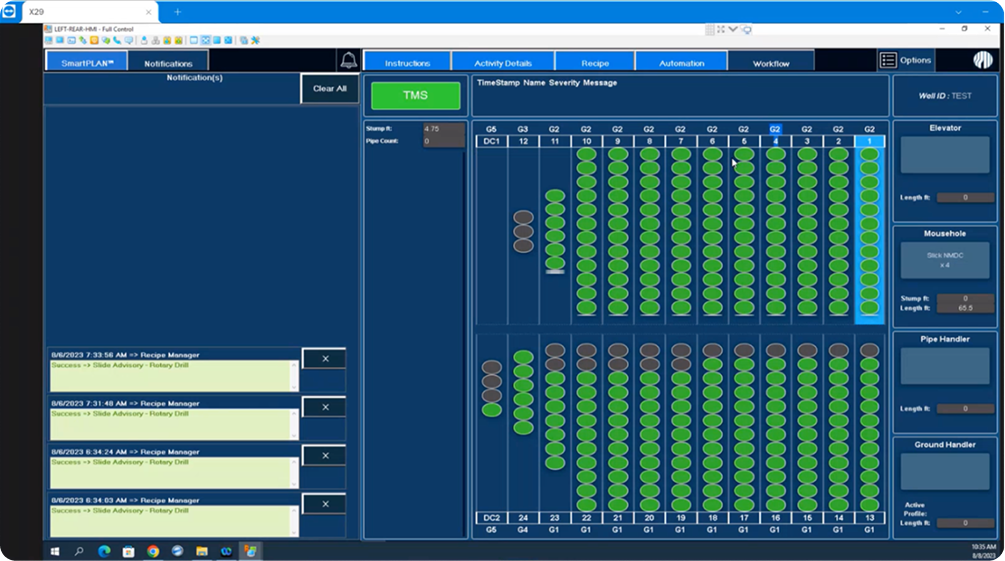
(Previous TMS)
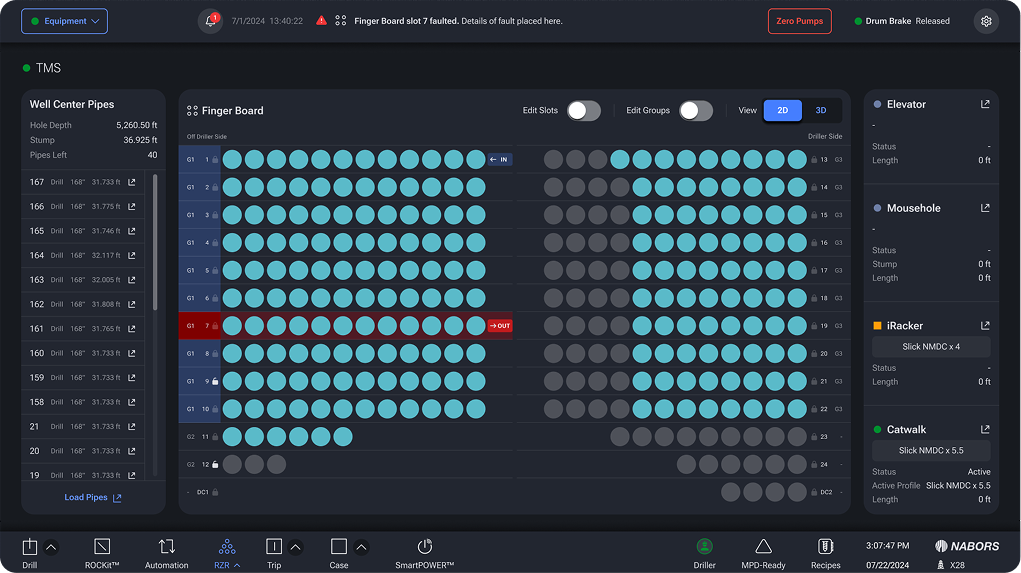
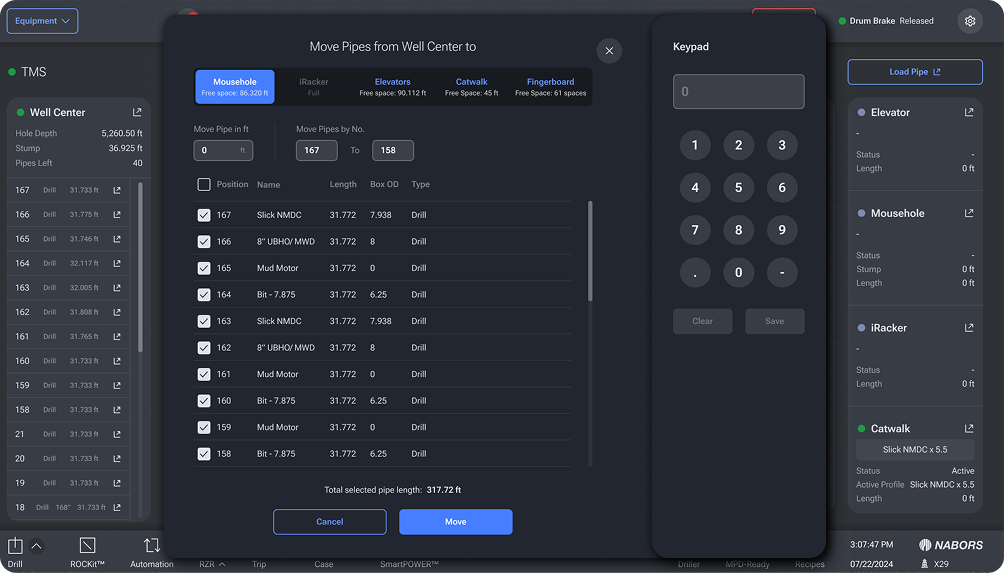
(Light + Dark Mode)
The iRacker equipment screens had over 10 individual screens, many with duplicated information and controls. I consolidated these into a single screen with modals for additional functionality, reducing cognitive switching without removing access to any controls.
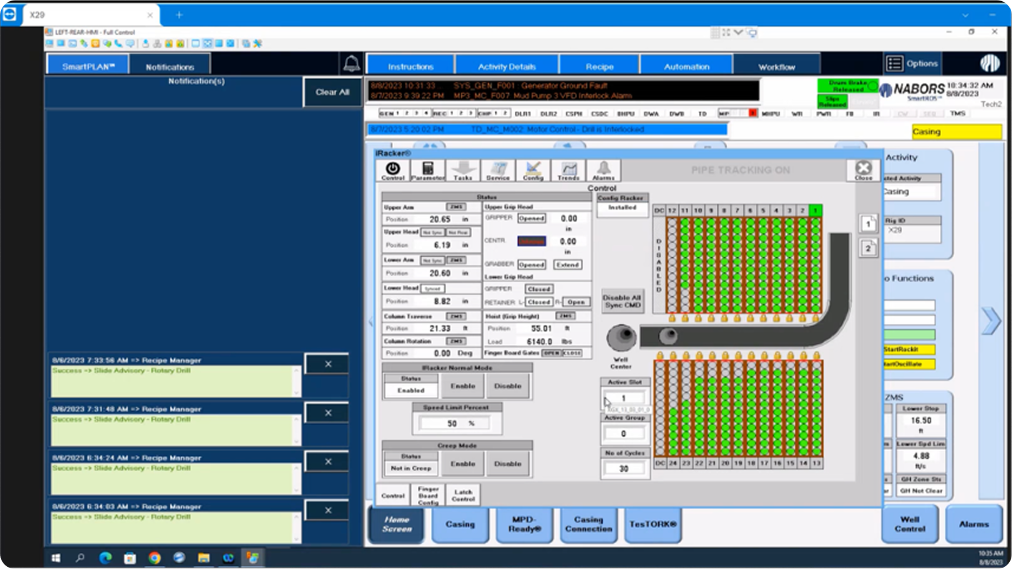
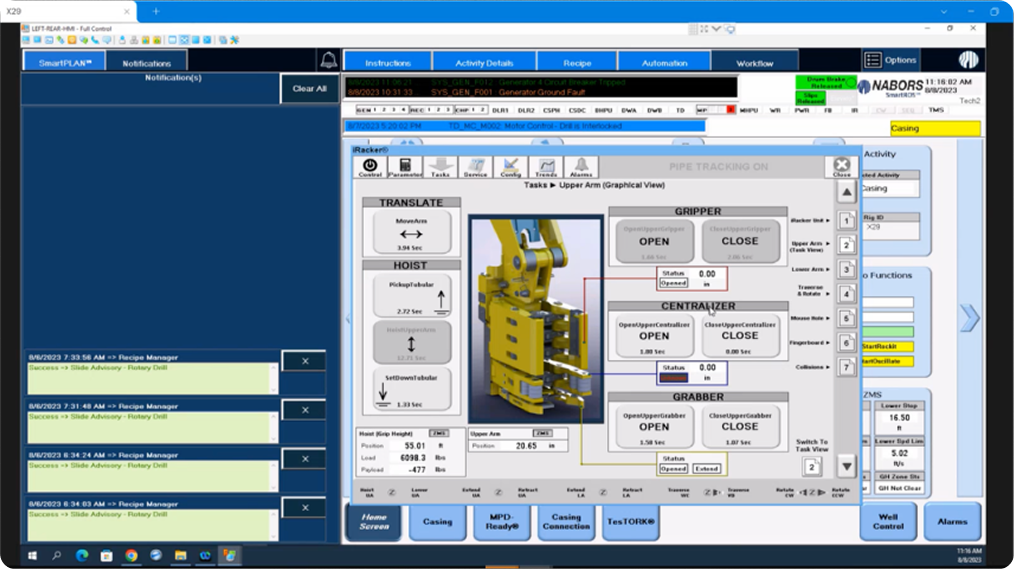
(Previous iRacker with 10+ screens)
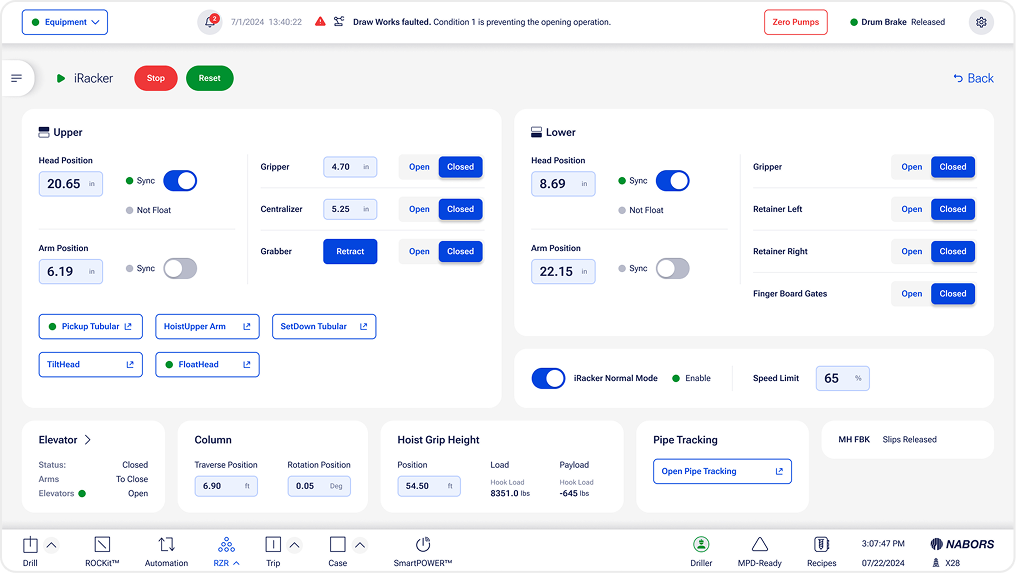
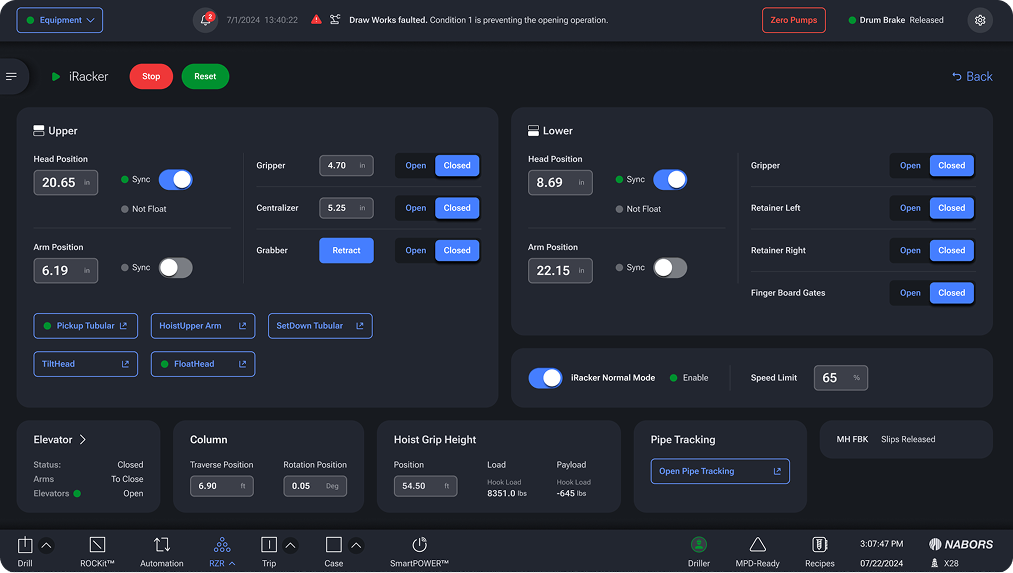
(Light + Dark Mode)
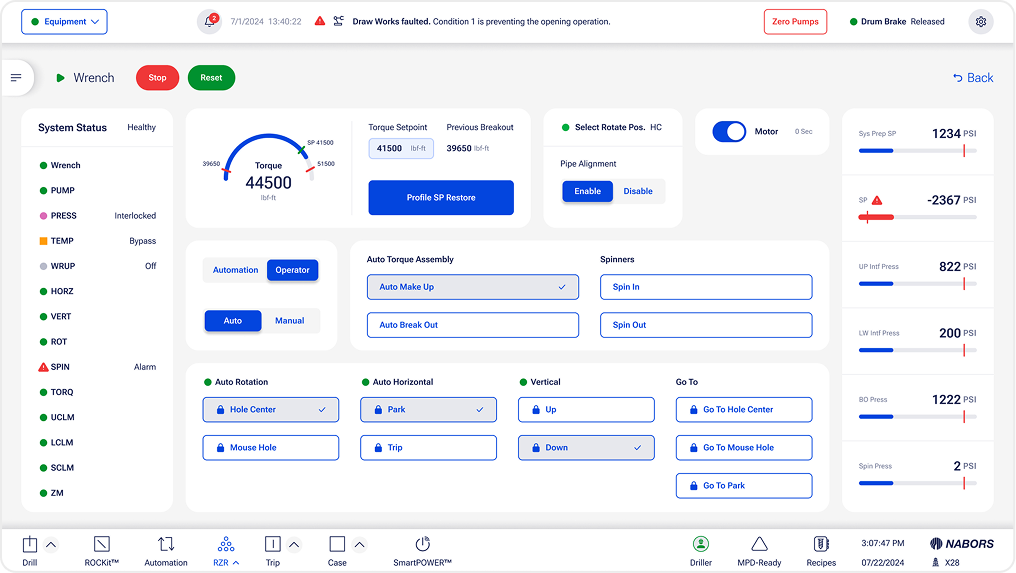
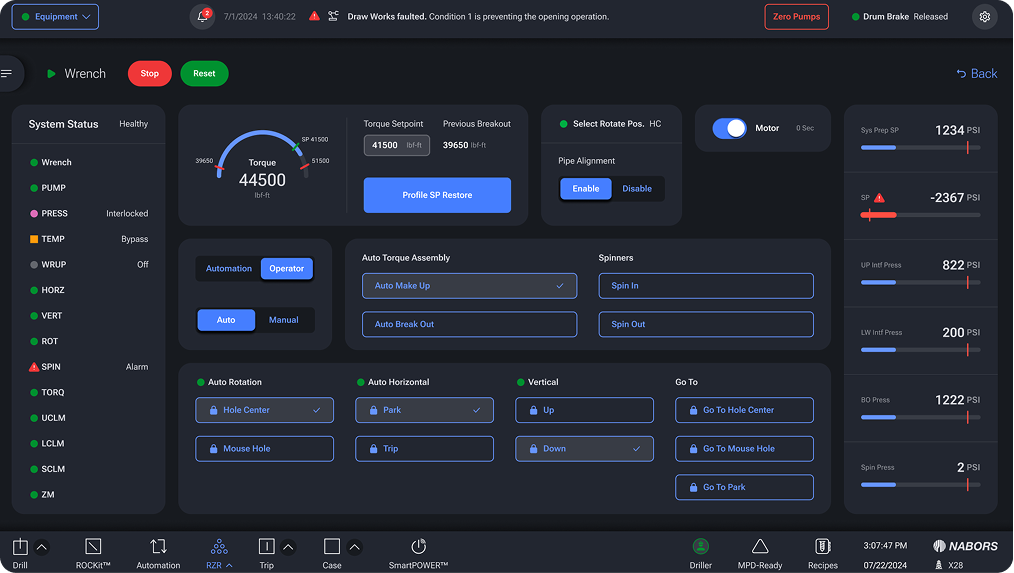
Wrench had three distinct states depending on driller needs: Automation, Operator Manual, and Operator Auto. Each state displayed the appropriate inputs and controls for that context, with clear visual differentiation between monitoring-only and action states.
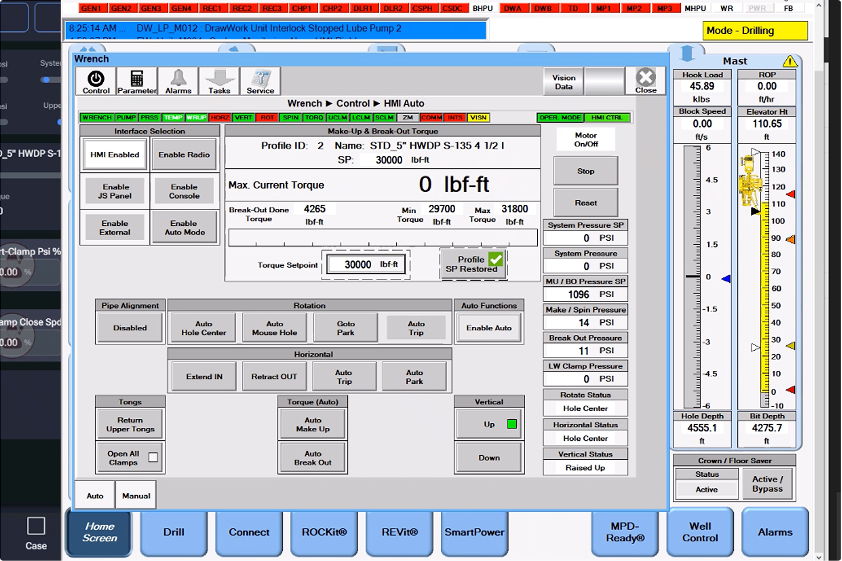
(Previous Wrench)
We tested the proposed RZR design with six drillers who had between one and seven or more years of drilling experience and between six months and two years of specific RZR experience. Each participant completed a remotely moderated 60-minute session using a clickable Figma prototype displayed across two HMI monitors simultaneously, replicating the actual doghouse environment as closely as possible.
Participants
Six representative RZR drillers with between one and seven or more years of overall drilling experience and between six months and two years of specific RZR experience.
Testing Goals
- Workflow Efficiency: Determine whether drillers can accomplish their tasks as well or better than with their current interface.
- Design Efficacy: Determine whether the navigation, layout, flow, interactions, and feedback support drillers' goals in going through their daily workflows in RZR.
- Findability: Determine whether equipment, workflow, and corresponding information are findable.
- Transition from Existing System: Determine whether Drillers would welcome the new designs and find the design changes clear, learnable, and helpful.
Methodology
Each participant completed an individual remotely moderated 60-minute session using a clickable Figma prototype displayed across two HMI monitors simultaneously, replicating the actual doghouse environment as closely as possible.
Participants were given 10 minutes to explore the prototype and a guided tour by an RZR trainer to simulate the onboarding experience. They then worked through six scenarios representing common and edge-case tasks they encounter in the field.
The following scenarios were presented to the participants:
Scenario 1:
- Creating, assigning, and activating Fingerboard groups and monitoring stand-building automation
Scenario 2:
- Fault recovery for iRacker and Catwalk handoff
Scenario 3:
- Setup for tripping out automation
Scenario 4:
- ZMS collision warning response
Scenario 5:
- Complex fault recovery: failed pipe grab and arm retraction failure
Scenario 6:
- Manual trip out with virtual pipe matching, then returning to automation once equipment was back online
Six participants were asked to rate their experiences on a scale from 1 (negative) to 7 (positive) and overall how the proposed version compared to their existing system. No participant rated the new experience worse than their existing system.
In three months, we took the Nabors RZR platform from a fragmented, cognitively demanding interface to a modern, consolidated experience designed around how drillers actually work. The previous experience required monitoring three screens simultaneously. The redesign brought that to two, without removing any functionality.
What went well
Field research in Midland, TX was the most valuable investment in the project. Observing real drillers in a real environment gave us a foundation of insight that no stakeholder brief could have provided. Every major design decision traced back to something we observed on-site.
What could have been improved
Some of the equipment-specific screens needed more iteration time than the project schedule allowed. A longer testing cycle with more driller participants would have surfaced additional edge cases before deployment.