
Twist Bioscience Product Strategy for DNA Sequencing
BORN led a three-day workshop at Twist's San Francisco campus to better understand the current website's issues and pain points. The workshop's goal was to recommend a future state commerce solution that would lead to a more intuitive marketing and e-commerce experience for the company's diverse range of customers.
Agency
BORN Group
Supporting Practices
Content Strategy, Tech Architects, Project Management and Sales
Role
UX Consultant
Twist Bioscience is a biotechnology company focused on synthesizing DNA. They offer a wide range of products and services that enable their customers to accelerate their research and development efforts by allowing their users to create their own custom DNA sequence. Their current website experience was split between their marketing and e-commerce, creating friction in the overall purchasing journey.
In order to better serve their users, Twist brought in BORN Group as consultants to help them determine which platform would best server their needs for a unified site experience as well as help them envision a future state solution that would create a seamless user experience.
OVERVIEW
Evaluate Twist Bios current site and develop recommendations for a unified future state solution.
Develop future state user journeys that are mapped to existing personas in order to create a frictionless customer experience.
Goals & Objectives
High-level Overview of Site Structure
Current State Solution
Future State Solution
THE PROCESS
We began our discovery process through documenting how Twist’s current site architecture serves it users and how each user’s journey for the different product segments is mapped out. As we had preliminary meetings with primary stakeholders prior to the workshop, we created basic user journeys based on two different product categories; and four overall product segments.
Understanding Scope
PREPARATIONS AND PERSONA MAPPING
Before the workshop, I asked the Twist team to provide any personas that they might have developed surrounding the product segments that we were going to be examining once in the room. They provided me with primary and secondary personas that I was able to use when examining the different journeys to better structure the workshop.
Primary users were academic researchers and industry researchers. While secondary were research leaders and lab managers
Primary Personas
Secondary Personas
I later refined the personas during the workshop and used these findings to map which persona would best fit in specific instances in the flow.
My team used the first day of the workshop to sit down the various Twist team members to examine and dissect the prepared flows. Each product segment was given about an hour, which kept the discussion focused.
I also accounted for 15 minute breaks as well and broke for lunch to make sure everyone was recharged and fresh before going into the next activity/flow review. 😀
ONSITE WITH THE TWISTERS
Before going into the workshop, wIe knew that the Genes and Oligo Pools flow was going to act as a foundational flow for SynBio products that could be built off to accelerate the examination of the remaining SynBio product segments. This meant that when we later went on to review IgG and Libraries I had a working knowledge of touch points that were prevalent in other areas of the flow. For products under the NGS umbrella, similar touch points were also identifiable but there was a variation in expected product needs.
As we worked through the product segments, we categorized different touch points throughout the overall flow:
EMERGING TRENDS
Awareness
Browse and Select
Create Account/Sign In
Design and Pricing, Sharing and Approvals
Configuration and Pricing
Add to Cart
Checkout
Post Checkout
Refine and Reorder
Customer Engagement
The following days after the creative workshop were accompanied by an immersive tech workshop which was with a smaller and more concentrated group. This time was allocated for our technical leads and architects to also better assess Twist’s current site in order to better provide a stronger recommendation for their future state solution.
Once the workshops were complete, I refined the information that we gathered and examined what the future state of a unified Twist site could be. Follow-up meetings were scheduled with the same workshop participants to help fill any gaps in knowledge as refinement took place.
POST-WORKSHOP REFINEMENT
PERSONAS
I identified 4 personas to accompany our different flows.

Academic Annie
Oversees research efforts and knows what DNA sequences need to be created for experiments.
Academic Researcher

Pharma Phil
Manages project’s objective so it is on time and within budget. While he knows how to clone and sequence, his time is better utilized by having Twist take care of the production and verification of DNA so he can focus on other aspects of the project.
Industry Researcher - Pharma

Industrial Ina
Buys products in bulk quantities. Ina will likely bypass a design tool in favor of an integration into her organization’s purchasing pipeline.
Industrial Buyer

Virtual Violet
Virtual Buyer
Third-party ordering and distributor, Violet acts as an in between for sellers and labs.
With the flows fully refined, I mapped the personas to the recommendations to better illustrate the findings. While new wires or interface design were not in scope, I was a able to create basic sketches as well as use diagrams to to accommodate the user’s journey points in tandem with recommendations in order to convey some functionality
NEXT STEPS
The following recommendations have been written to show how the various personas would utilize this future state solution. Because of this some personas have been utilized more heavily than others.
Each key journey point has also been categorized in accordance with the touch points identified in the flows
RECOMMENDATIONS
As a new user, Annie goes through a sign-up and onboarding flow which leads her to the dashboard, which will feature dynamic content based on her ordering history. She hasn’t placed any orders or used the dashboard, so the content module promotes a “How to” guide so she can better understand the dashboard and tools.
UPLOADING SEQUENCES FOR GENES
Academic Annie
Category: Browse & Select

Signed-out or new users are brought to an informative dashboard that prompts them to get started with their first Twist order. Product selection is limited but focused, so that they can more efficiently drill down deeper into Twist’s product offering after they create an account.
RETURNING USER CUSTOMER PRODUCT SELECTION
Pharma Phil
Phil, already logged in, goes directly to the updated Twist homepage.
The new homepage features dynamic content that intuits his needs, with modules that show products he's already ordered as well as recommended products based on his purchases.
Category: Browse & Select

Category: Design & Configure
Product: Genes & Oligo Pools
UPLOADING SEQUENCES FOR GENES
Academic Annie
Annie uploads her sequences and starts creating her gene products. Once uploaded and manufacturability verification is complete, she receives pricing for her products and is then prompted to log in or sign up to move onto configuration and pricing.
Annie already has a Twist account so she logs in to continue her journey.

ERROR MESSAGING AND ERROR RESOLUTION
If Annie’s sequence were to trigger an error, a modal would appear, explaining that Manufacturability Verification has failed and the reason for the failure. A prompt guides Annie to a detailed Issues Panel screen. This screen shows her the exact characters in the sequence that triggered the error. She receives step-by-step instructions to resolve her error and a CTA to engage chat support if she needs more help. Annie can also download a detailed Error Report.
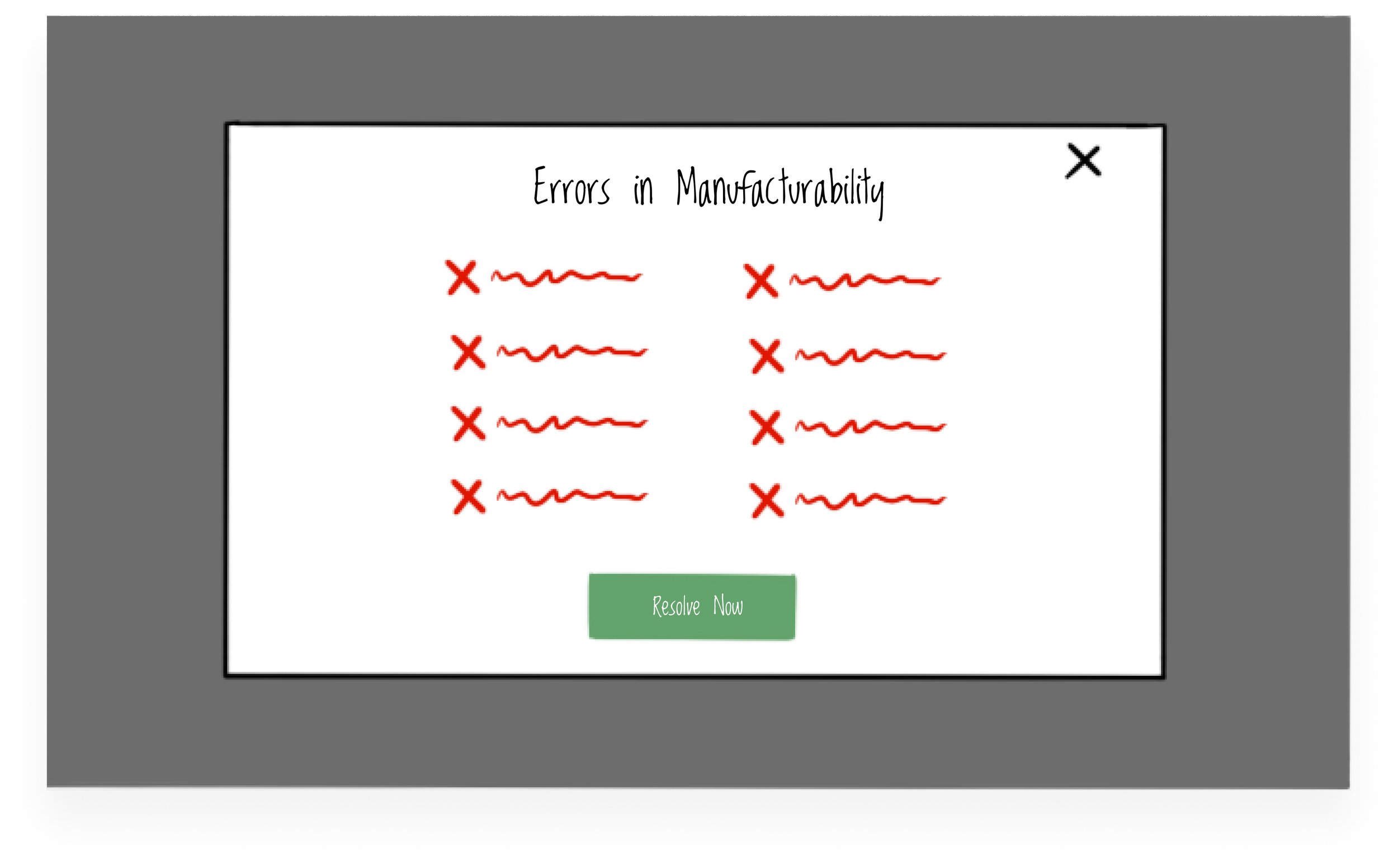
Error messaging modal calling out specific errors in Annie’s sequence. The ‘Resolve Now’ CTA takes Annie to a flow for bulk error resolution.
Once logged in, Annie chooses gene fragments with adapters on. She is prompted to share her configuration with her team lead for approval. Once approved, Annie is notified and can add the product to her cart before checking out and finalizing her order.
CONFIGURING AND PRICING
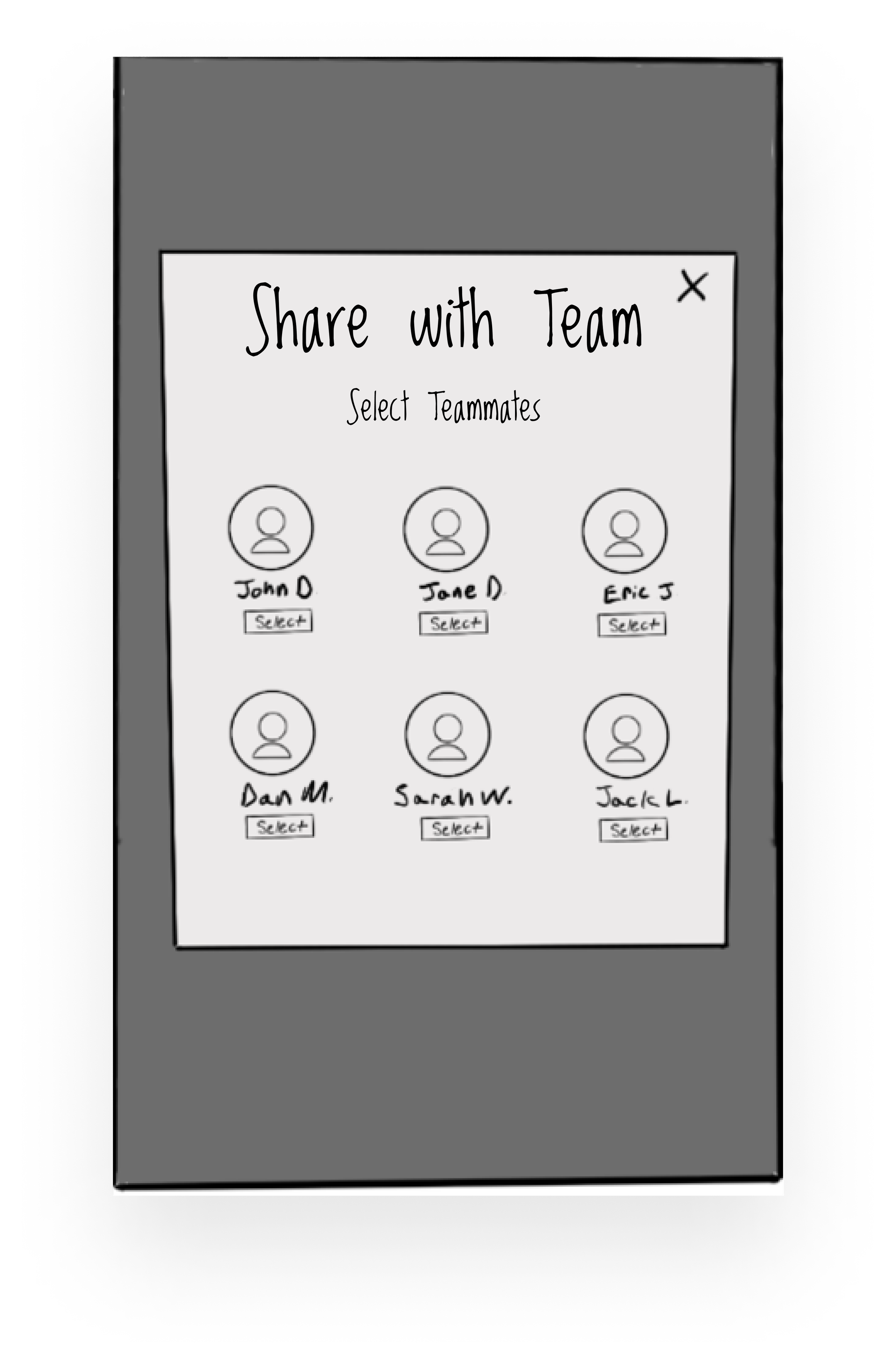
Annie can choose specific teammates with whom she will share her pending orders for collaboration and approval.
Category: Design & Configure
Product: Cloned Oligo Pools
CREATING CUSTOM VECTORS
Pharma Phil
Phil adds his custom vector and chooses his insertion site. However, there’s an issue with his vector. This triggers a tailored prompt for Phil to contact customer support specialist for 1:1 support to fix this error.
Once the error is fixed, Phil adds his cloned oligo pools to his cart and proceeds to checkout.

LEVERAGING API INTEGRATION TO COMPLETE ORDERS
Industrial Ina
Category: Design & Configure
Product: IgG
Ina needs to place a bulk order. She chooses IgG products and the Bulk Ordering option from her company’s dashboard. Then, she works with the integrated API outside of the design and configuration tools. Using the integration between Twist and her organization, she creates her order and proceeds to her cart.

LEVERAGING API INTEGRATION TO COMPLETE ORDERS
Virtual Violet
Category: Design & Configure
Product: IgG
Violet has a request from one of her sellers to complete an order. Taking the order information, she uploads her sequences with the help of the guided design tool featuring detailed instructions at each touch point to reduce potential errors. After designing and configuring her vectors she adds her order to her cart.
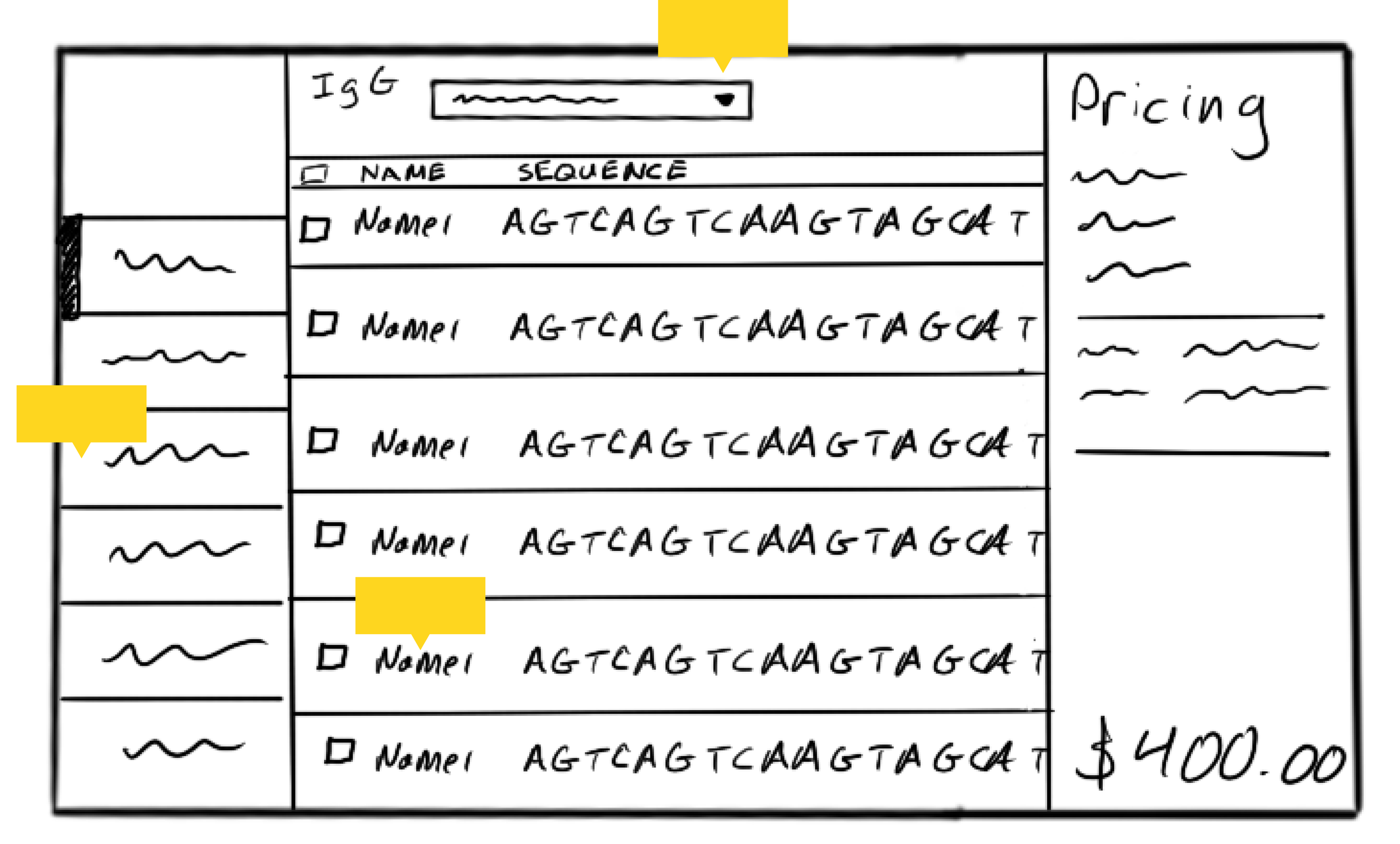
As she uploads her sequences, guiding tooltips and educational content along this flow can help Violet reduce errors.
LIBRARY CREATION AND SELECTION
Pharma Phil
Category: Design & Configure
Product: Libraries
In a separate order from his cloned oligo pools, Phil wants to configure a library for a project that examines the mutations on protein structure and function. After uploading his sequence, the guided design tool helps Phil navigate what positions he wants for his mutations and codon usage for substitutions. After full configuration, Phil adds his library to his cart.

BUNDLING CUSTOM PANELS AND CATALOG PRODUCTS
Academic Annie
Category: Design & Configure
Product: NGS
Annie also needs to create a custom panel while adding a mitochondrial panel to her cart. Implementing a mixed cart enables Annie to create and manage two different orders so she can create a custom panel while bundling mitochondrial panels.
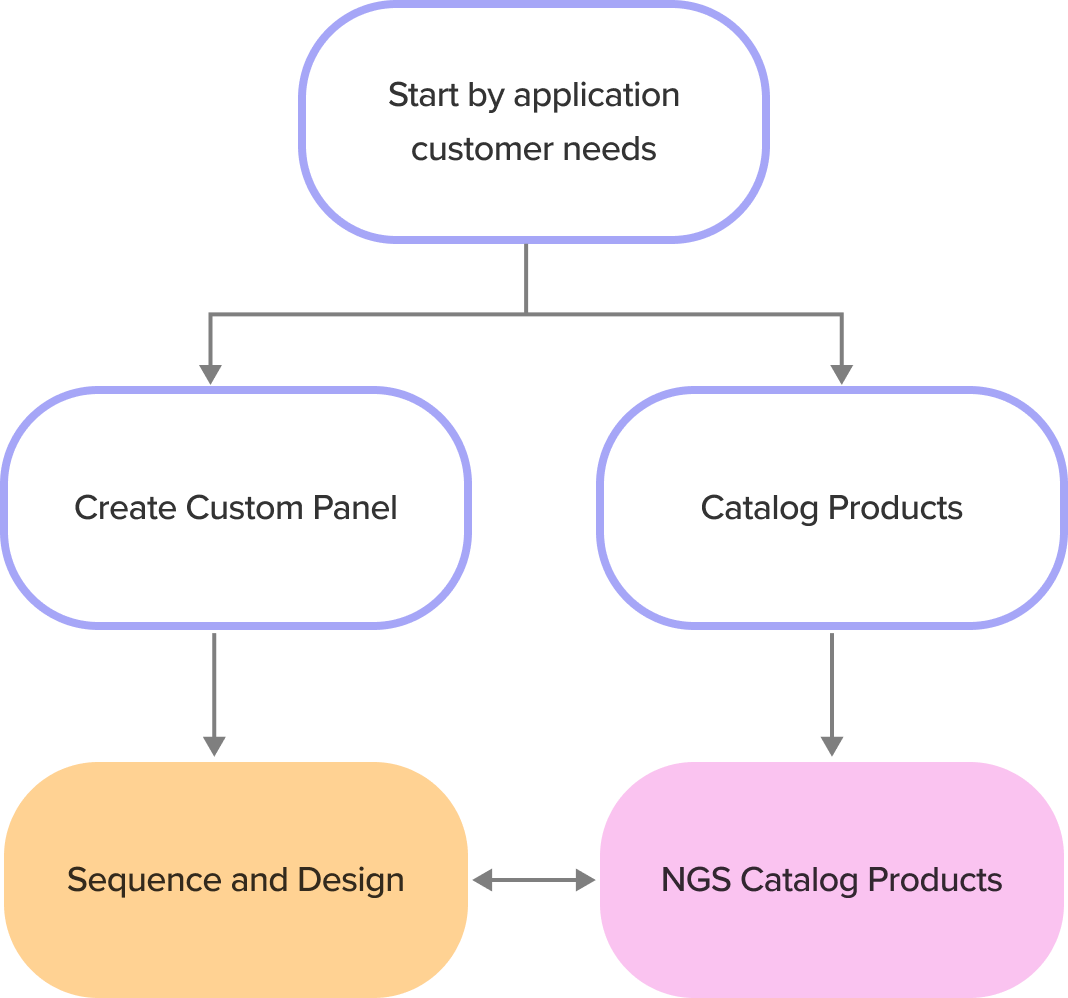
Accessible from either CX

With their products selected, configured, and added to their carts, customers experience a traditional e-commerce checkout flow. They can review their orders in the order summary, edit their carts, enter promos and select shipping information. After selection and confirmation, the orders are complete and the post-checkout informs customers on their order statuses.
PURCHASE COMPLETE
All Users
Category: Checkout & Post-Checkout
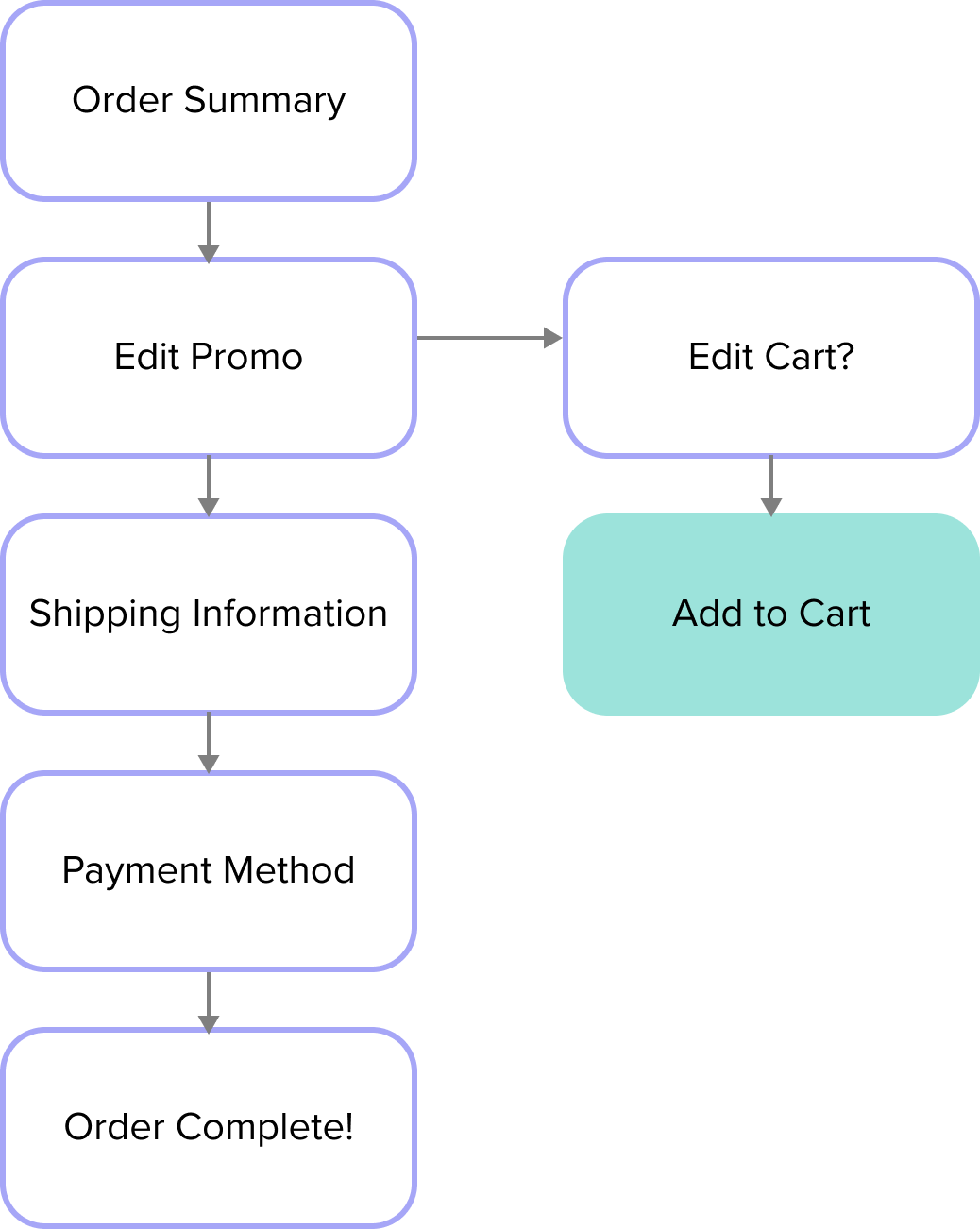
For successful orders, three confirmations are sent: with tracking information, when the order is shipped, and when it is en route. For any issues experienced after transit, customer support is readily available. However, Annie’s SynBio order has failed. She receives an email to review the order. This message includes a link to bring her back into the design and configuration sequence, where her gene sequence and all preferences are still available, enabling Annie to make the necessary update.
TROUBLESHOOTING ORDER FAILURES
Academic Annie
Category: Checkout & Post-Checkout
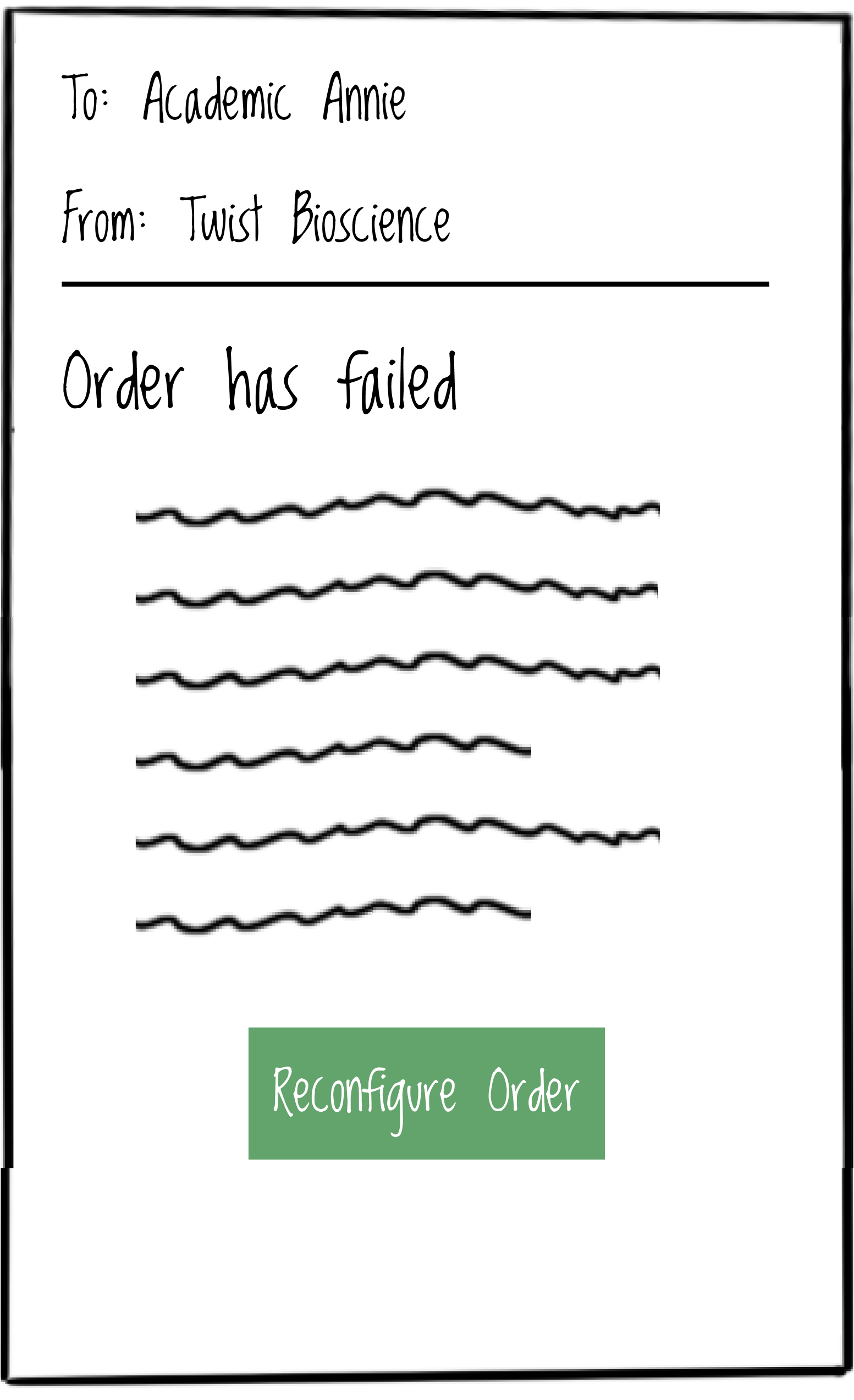
If Annie’s order fails, she gets a customer support email with a CTA and link inviting her to log back in to reconfigure her order.
This project in particular was challenging beyond what a normal consultancy role would usually dictate. In this case, I had to first establish a base knowledge of DNA sequencing and how exactly the business needs aligned in the interest of its target users. The product and industry themselves fall under a specific niche. Establishing future state user flows involved additional follow up meeting post-workshop that spanned from stakeholders, product owners and SME’s, all so an appropriate path could be created. Additionally, I had to work closely with our tech team that was also conducting a platform assessment in order to effectively recommend how the new site would function.
CHALLENGES
While this project involved a lot of meticulous work it was incredible to work in a UX Consultant capacity, going beyond wires and strategy and digging deeper to employ critical facilitation and user research techniques. The in-person workshop itself was an excellent opportunity to engage with stakeholders and gather insights in the moment.